Access Control Systems
$500 - $3,000 | 4-8 hours | Available 24/7
Triton Locksmith installs commercial access control systems for $500-$3,000 per door. Card readers (HID), key fob systems, keypads (Alarm Lock), biometric scanners, and cloud-managed platforms. Includes hardware, wiring, programming, user enrollment, and training.
What Types of Access Control Does Triton Locksmith Install?
Five categories of access control technology, each suited to different security needs and budgets:
- Standalone keypads ($500-$800/door): Alarm Lock Trilogy is our go-to. Users enter a PIN code. Supports up to 500 codes. No wiring needed (battery-powered). Audit trail stores last 40,000 events. Best for: small offices, back doors, storage rooms. Limitation: codes can be shared.
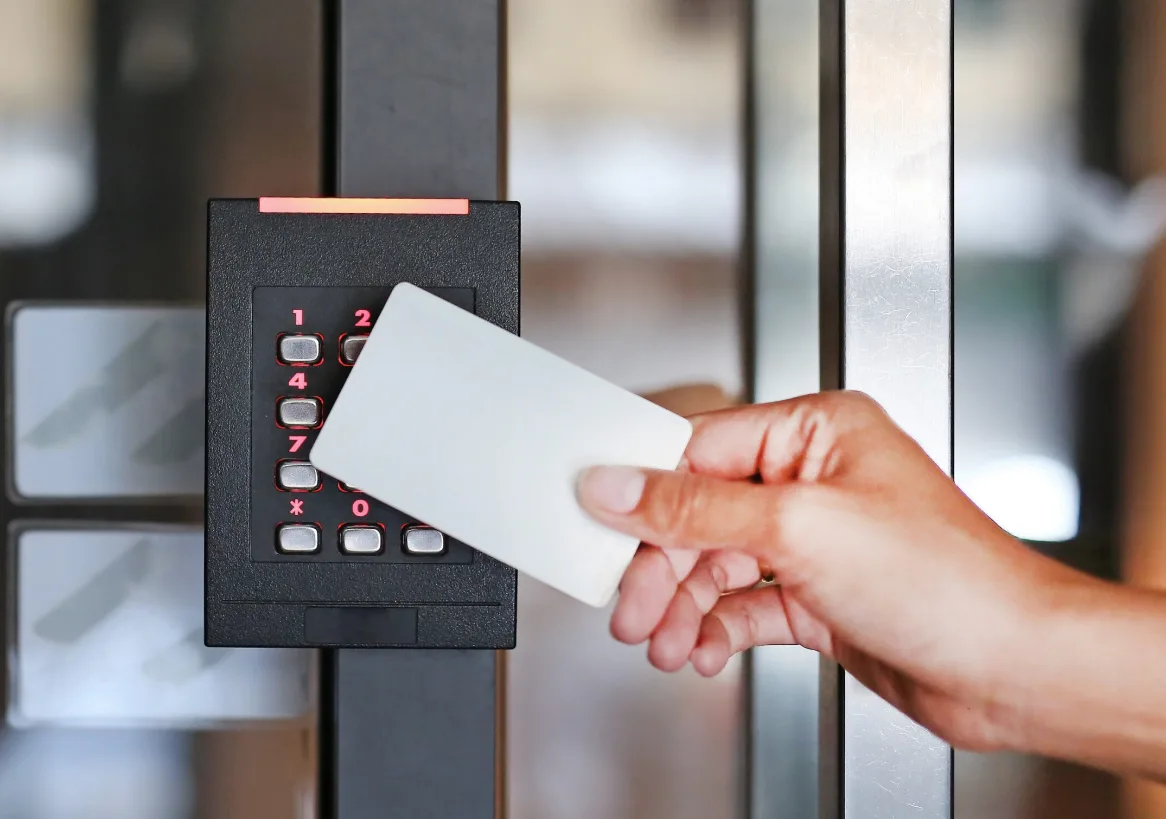
- Proximity card/fob readers ($800-$1,500/door): HID iCLASS SE and multiCLASS SE are our standard. Users tap a card or fob against a reader. Each credential has a unique encrypted ID. Instantly revocable. Wired to an electric strike or magnetic lock. Best for: medium offices, multi-door buildings. The most popular option.
- Biometric ($1,200-$2,000/door): Fingerprint readers or facial recognition. Can't be shared, can't be copied, can't be lost. Best for: server rooms, cash handling areas, pharmaceutical storage, executive offices. Higher cost but maximum security.
- Mobile/smartphone ($1,000-$2,500/door): Users' phones act as credentials via Bluetooth or NFC. No physical card to lose. Provisioning and revocation happen instantly via an app. Growing fast in tech companies and co-working spaces.
- Cloud-managed platforms ($1,500-$3,000/door): Full-featured systems with web-based management, real-time alerts, integration with cameras and alarms, unlimited users, and remote access from anywhere. Brivo, Openpath, and Kisi are popular platforms. Note: most have monthly software fees ($5-$50/door).
What Can Access Control Do That Keys Can't?
Four things that change everything for commercial security:
- Audit trails: See exactly who entered which door and when. If inventory goes missing on Tuesday night, you know who badged in. Keys leave no trace.
- Instant revocation: Employee quits or gets fired? Deactivate their credential in 5 seconds from your computer or phone. With keys, you'd need to rekey every lock they had access to.
- Time-based access: The cleaning crew can only enter between 8 PM and midnight. The delivery driver can only badge in to the loading dock between 6 AM and 10 AM. Keys work 24/7 with no restrictions.
- Remote management: Lock and unlock doors from anywhere. Grant temporary access to a contractor without being on-site. Get real-time alerts when someone enters after hours.
According to a 2025 ASIS International survey, 78% of commercial properties with 20+ employees use some form of electronic access control. It's no longer a luxury. It's standard operating practice for any serious business.
How Much Does Access Control Cost?
$500-$3,000 per door for initial hardware and installation.
- 1 door (standalone keypad): $500-$800 total
- 1 door (card reader + electric lock): $800-$1,500 total
- 3-5 doors (networked card readers): $3,000-$6,000 total
- 10+ doors (full system with server): $8,000-$25,000+ total
- Monthly software (cloud platforms): $5-$50/door/month (some have no monthly fee)
We install systems from HID, Alarm Lock, and Kaba/Dormakaba that don't require monthly subscriptions for basic functionality. Cloud management is available as an option, not a requirement. Ask about ongoing costs before committing to any system.
How Does Access Control Work with Existing Door Hardware?
We install electric strikes or magnetic locks that work alongside your existing mechanical hardware. The card reader controls the electronic lock. The mechanical lock (deadbolt, mortise, lever) stays as a backup. If the power fails or the system goes down, the mechanical key still works.
This means you don't need to replace your entire door hardware to add access control. The reader mounts next to the door. The electric lock installs in the frame (electric strike) or on the door header (magnetic lock). Low-voltage wiring connects them to a control panel. Your existing handles, closers, and panic bars stay in place.
What Protocols Do Access Control Systems Use?
Two industry-standard communication protocols between readers and controllers:
- Wiegand: The legacy standard. Simple, widely supported, works with virtually every access control panel. Limitation: unencrypted signal between reader and controller, which means it can theoretically be intercepted (rare but possible in high-security environments).
- OSDP (Open Supervised Device Protocol): The modern standard. Encrypted communication between reader and controller. Bidirectional (the controller can send info back to the reader). Supervised (the controller knows if the reader is tampered with). Required by federal government installations. We recommend OSDP for new installations.
Both protocols work with HID and most major reader brands. If you have existing Wiegand infrastructure, we can integrate new readers without replacing the entire system. For new builds, we default to OSDP for better security.
What About Power Outages?
Depends on the lock type and fire code requirements.
- Electric strike (fail-secure): Stays locked during power outage. Exterior doors that need to stay secure use this. Mechanical key backup always works.
- Magnetic lock (fail-safe): Unlocks during power outage. Required by fire code on egress doors so people can exit during emergencies. Request-to-exit sensor on interior side allows free egress at all times.
- Battery backup (UPS): Available for critical doors. Maintains lock power for 4-8 hours during an outage. We install UPS units as part of the system where needed.
We design every system to meet fire code requirements. Egress doors (any door people use to exit the building) must be fail-safe per NFPA 101. Entry-only doors can be fail-secure. We handle the design so you don't have to worry about code compliance.
Can Access Control Integrate with Cameras and Alarms?
Yes. Most modern access control platforms support integration with IP camera systems, intrusion alarms, and intercom systems. When someone badges in, the camera records it. When an unauthorized access attempt occurs, the alarm triggers. Everything shows up on one dashboard. See our security system integration service for full multi-system setups.
Where Does Triton Locksmith Install Access Control?
Any commercial property across 48 South Florida cities. Offices, medical buildings, retail, warehouses, schools, HOAs. Boca Raton, Coral Springs, Coconut Creek, Fort Lauderdale, West Palm Beach. Call (561) 524-8500 for a free on-site consultation.
Access Control System Questions
How much does access control cost per door?
Keypad: $500-$800. Card/fob reader: $800-$1,500. Biometric: $1,200-$2,000. Multi-door systems get volume discounts. Cloud platforms may have monthly fees.
Can access control work with my existing locks?
Yes. We install electric strikes or magnetic locks alongside your current hardware. The reader controls electronic access while the mechanical lock stays as backup.
What happens during a power outage?
Electric strikes stay locked (fail-secure). Magnetic locks unlock (fail-safe, required by fire code on egress doors). Battery backup is available for critical doors. Mechanical key backup always works regardless.
Can I manage access control from my phone?
Cloud-based systems yes. Add/remove users, set schedules, view audit logs from any device with internet. Standalone keypads require on-site programming.
How many doors do I need for access control to make sense?
Even 1 door benefits from a keypad ($500-$800). Financially, 3+ doors is where card-based access control beats traditional key management. The elimination of rekeying costs alone pays for the system within 2-3 years.
What's the difference between Wiegand and OSDP?
Wiegand is the legacy protocol (unencrypted, unidirectional). OSDP is the modern standard (AES-encrypted, bidirectional, supervised). We recommend OSDP for new installations. Wiegand works fine for retrofit into existing systems.
Can access control integrate with our camera system?
Yes. Most modern platforms integrate with IP cameras so access events trigger video recording. We handle the access control side. For camera installation, we coordinate with trusted security integrators.
Are there monthly fees for access control?
Depends on the system. Standalone keypads and basic card reader panels: no monthly fees. Cloud-managed platforms (Brivo, Openpath, Kisi): $5-$50/door/month. We install both types. Ask about ongoing costs before choosing.
How long does access control installation take?
Single door: 4-6 hours. 3-5 doors: 1-2 days. 10+ doors: 2-5 days. Includes hardware mounting, wiring, programming, user enrollment, and training.
Do you provide ongoing support after installation?
Yes. We offer maintenance contracts that include system updates, user management assistance, and troubleshooting. See our lock maintenance contracts page for details.
Related Services
Need Access Control Systems?
We're on call 24/7 across 25 South Florida cities.
(561) 524-8500